How do I customize the shipping configurations available to shoppers?Updated 5 months ago
We’ve been busy adding several new shipping configurations, so you (and customers!) have more control over how they ship.
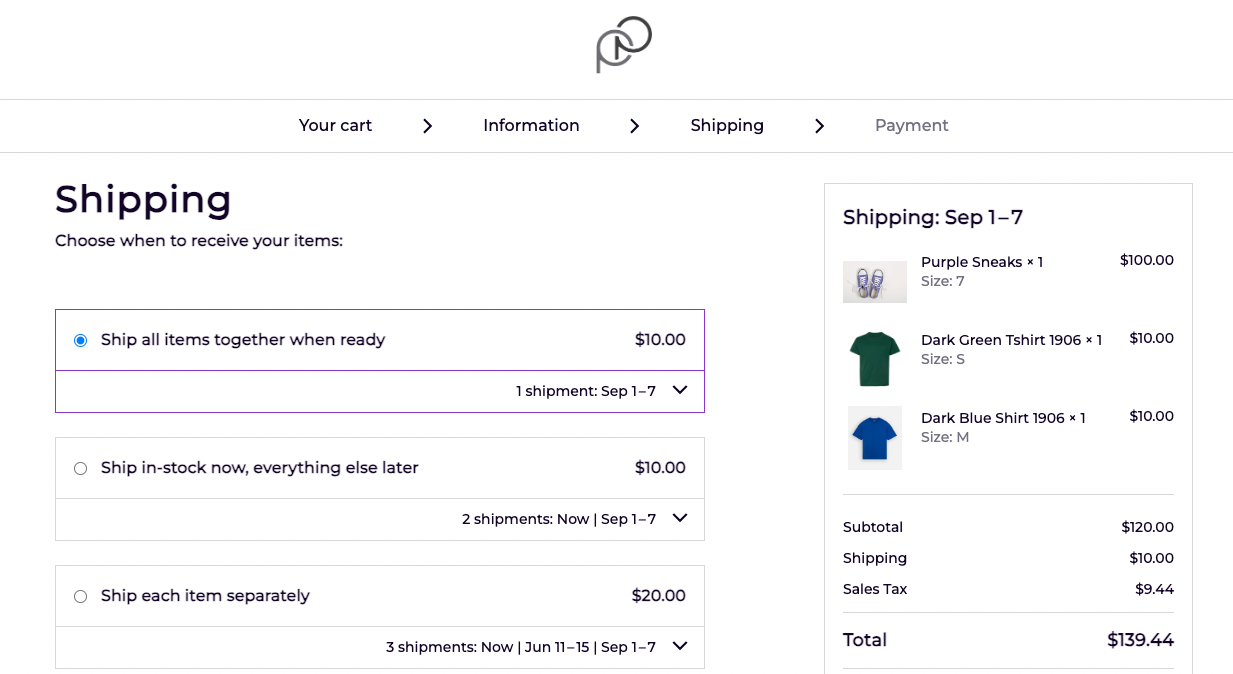
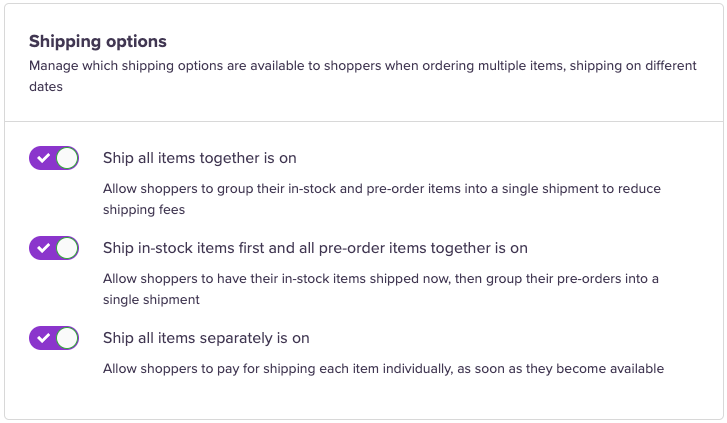
- Ship all items together: Give the customer the option and create an incentive for them to ship together (e.g., cheaper shipping) to save costs and minimise the impact on the planet.
- Ship in-stock items first and all pre-order items together: This way, the in-stock item can be shipped out immediately — and pre-order items can sent out all as one order.
- Ship all items separately: In-stock items are automatically synced with your existing rates in Shopify (with an option to override). You can then apply the same or different rates for the pre-order portions of the order. Each item will be shipped separately as stock becomes available.
Head to the Settings tab on the left-hand dashboard and click Shipping. Under Shipping options, you can toggle the best configurations for you and your customers.
With the above configuration, here's an example of what the front end of your checkout would look like if a customer added an in-stock item and two pre-order items with differing ship dates.