I'm getting an error message when I try to set up a waitlist in multiple stores.Updated 5 months ago
When setting up a waitlist that will be synced across multiple stores, Purple Dot relies on the SKUs and product handles to identify the correct product in all stores. This means that they must be exactly the same, both when the waitlist is first created and while it is live. Otherwise, our system cannot recognise that it is the same product.
What Is Product Handle in Shopify?
Product handle is the unique name given to a product in Shopify. A product’s handle is used to generate its URL on your online store.
For example, if a product’s handle is “mug”, its URL would be www.your-domain.com/products/mug. Handles are generated automatically when you create a new product in Shopify, but you can edit them to make your URLs more user-friendly.
How to edit a Product’s handle:
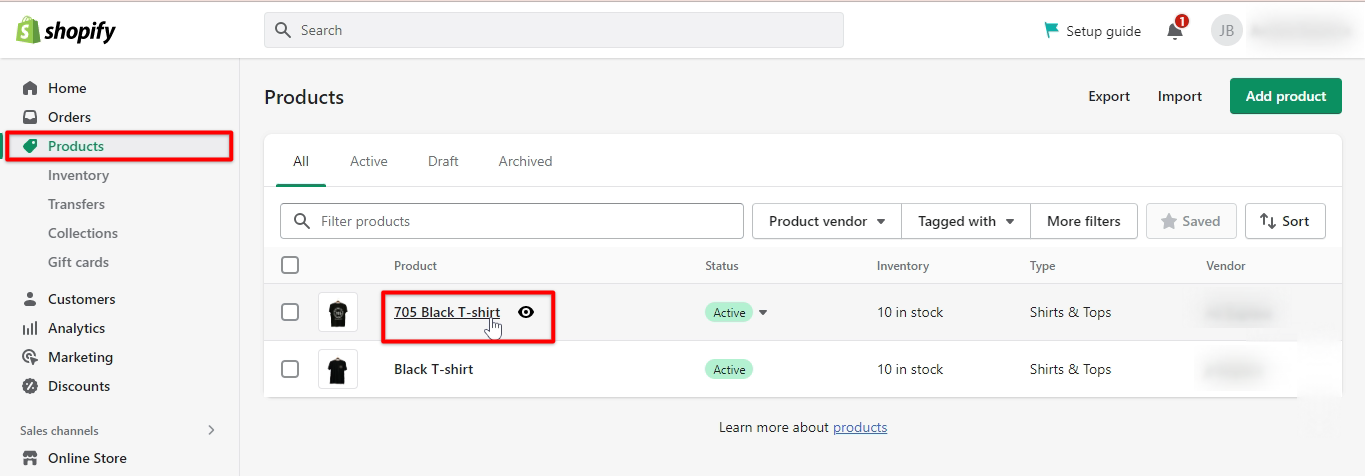
From your Shopify admin, go to “products.”
Click the name of the product that you want to edit.
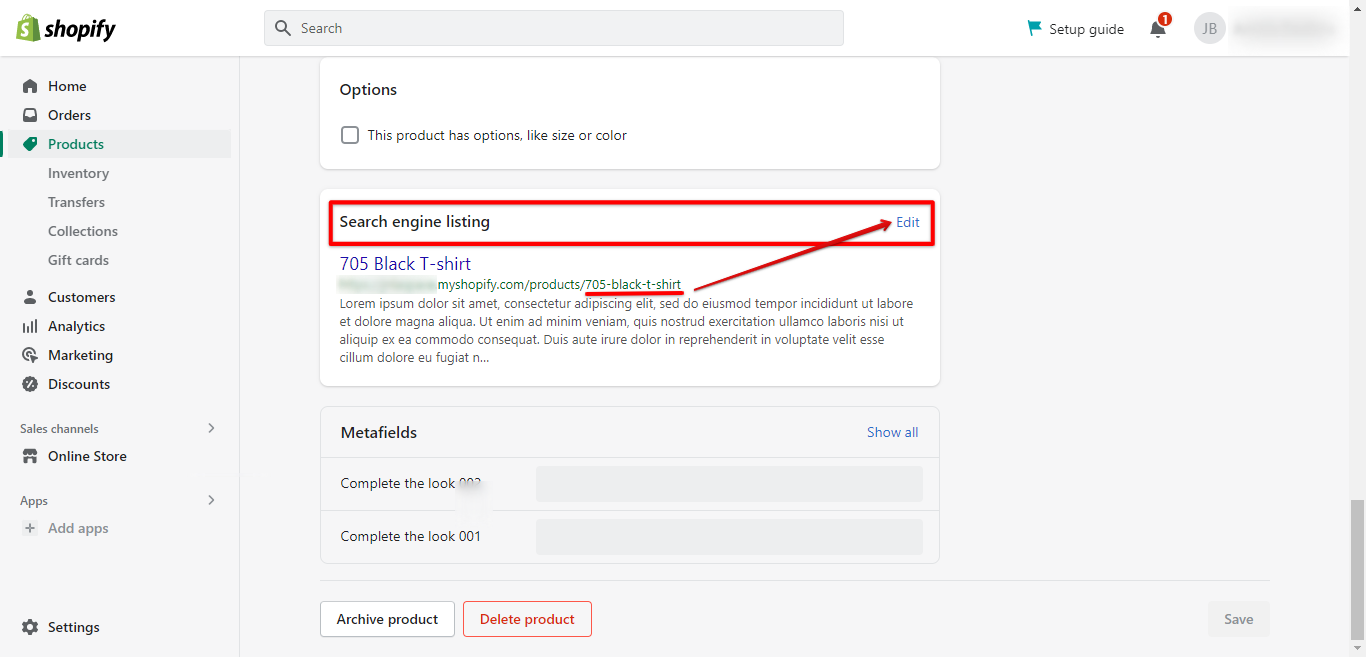
In the Product Information section, click Edit website SEO.
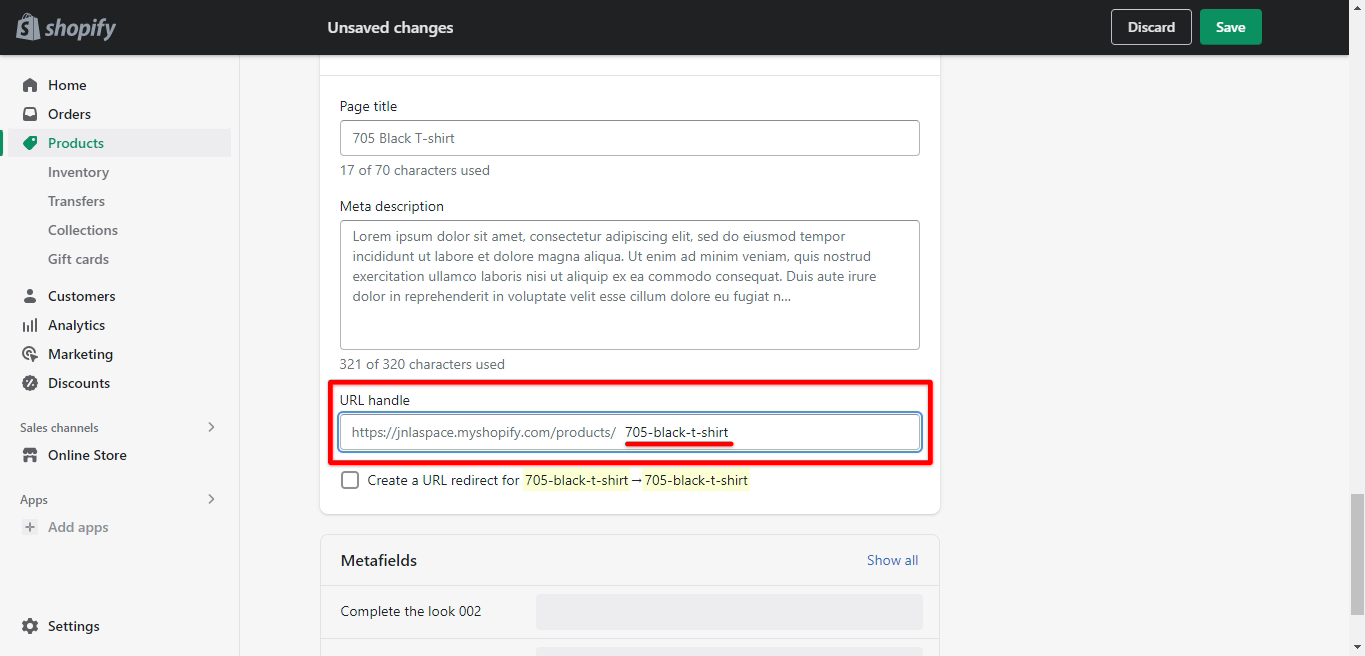
In the Handle field, enter a new handle for the product.
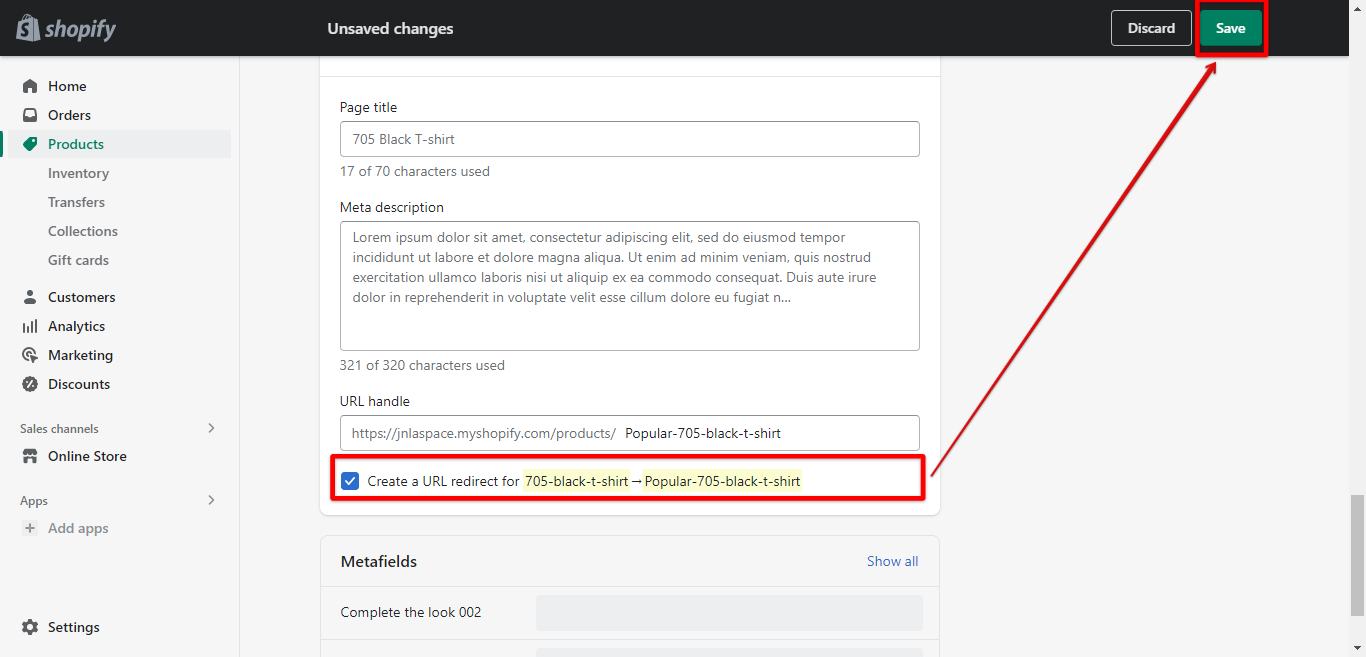
 (Optional) If you want the old URL for the product to redirect to the new URL, check to Redirect the old URL to the new URL.
Finally, click Save.