Is there a report for waitlist performance?Updated 5 months ago
Yes, we have a Waitlist Report that provides a breakdown of key metrics across your waitlists.
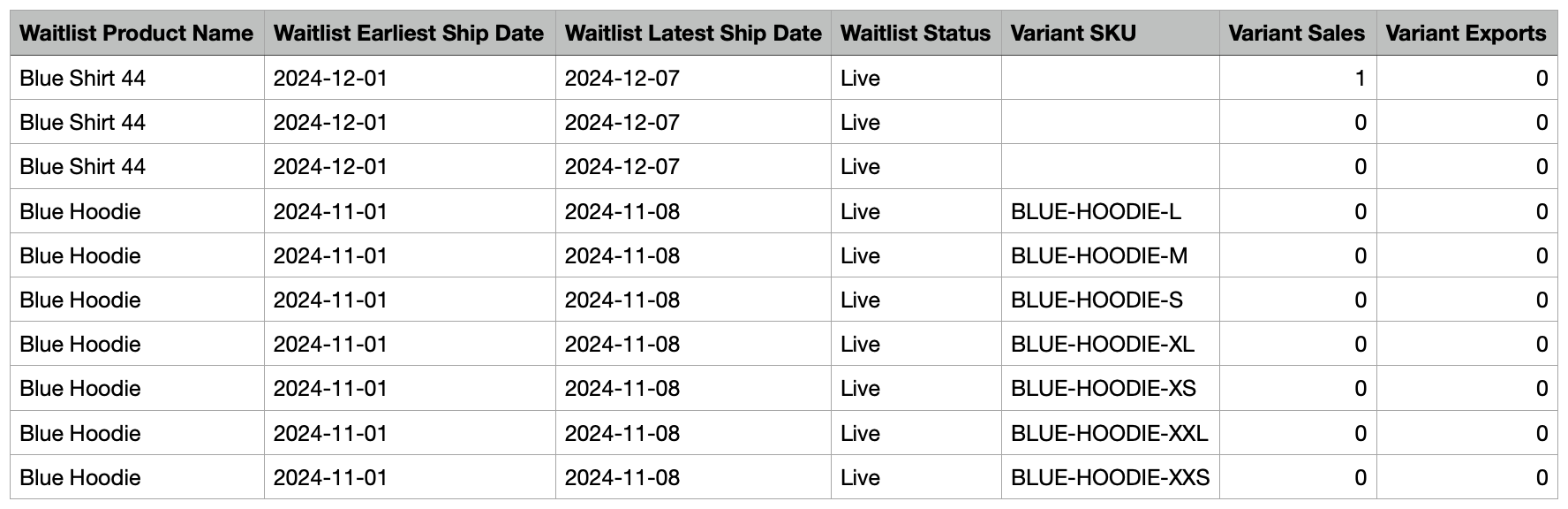
We include information such as the waitlist Product Name, SKU, Estimated Ship Dates, Waitlist Status, and whether a Waitlist is Overdue.
We also include key metrics such as:
- Waitlist Buy Size: the stock limit for that particular variant
- Buy Size Mix: the variant's share of the overall stock limit (sums to 100% across all variants on the waitlist)
- Sales: sales against that particular variant, excluding any cancellations
- Sales Mix: the variant's share of the overall sales for the waitlist (sums to 100% across all variants on the waitlist)
- Exports: the number of exported units for the waitlist variant
A screenshot of our Waitlist Report is below. Note: not all columns are included in this screenshot.
You can also download an example of what's included in Waitlist Report by clicking the link below:
Where can I find the download for the Waitlist Report?
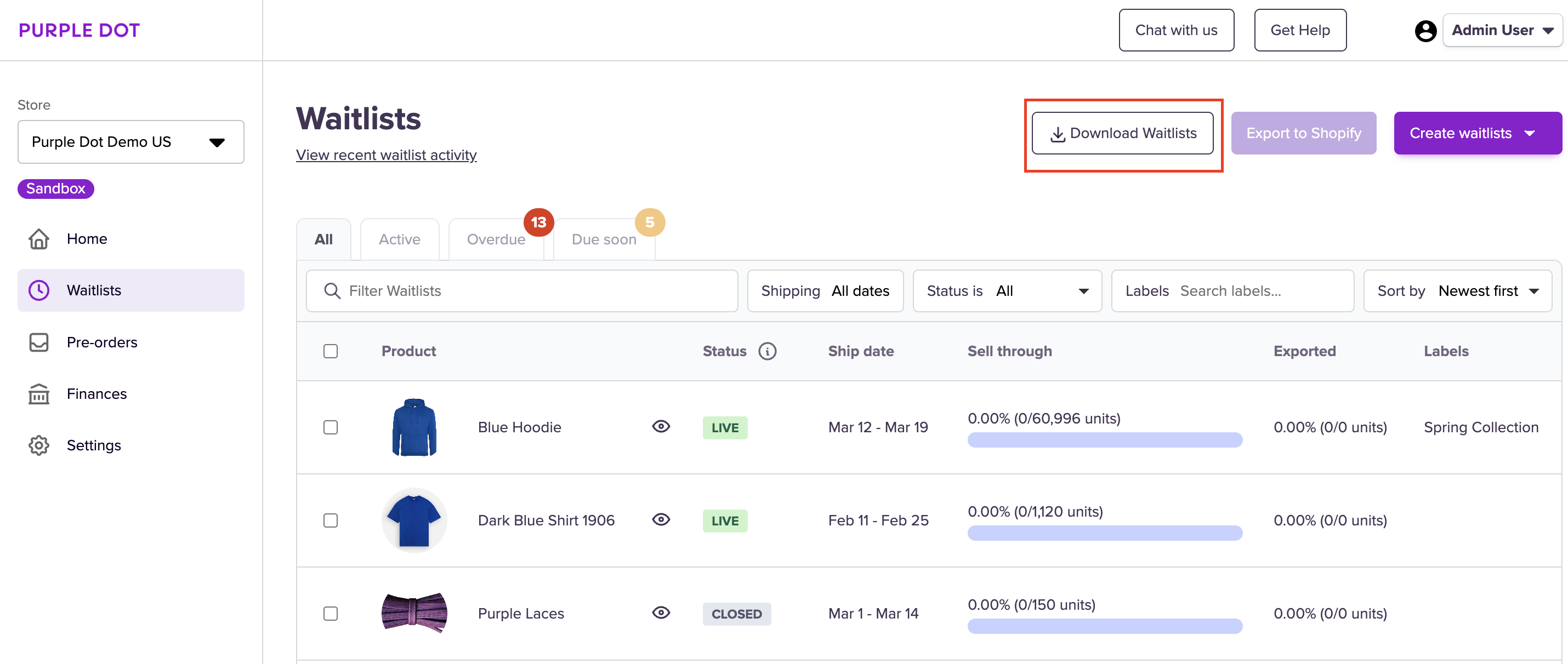
Head to Waitlist in the dashboard and look for the “Download Waitlist” button on the top right corner. You can select a specific set of waitlists to download first, either by applying a filter or by manually selecting waitlists from the list.
If you choose to download a large number of waitlists, you’ll receive an email with the download after a few minutes.