I need to change the amount of stock I have available for pre-order?Updated 5 months ago
When you set up a waitlist, you choose the amount of stock available for pre-order. Sometimes, you might accidentally enter the wrong amount, or issues within the factory can cause that amount to change.
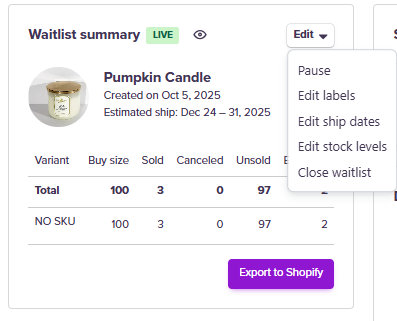
You can edit this number by selecting the waitlist and clicking the Edit button. Then, you will see Edit stock levels. Here, you can enter the new stock levels per SKU.