
I want to connect Purple Dot with KlaviyoUpdated 3 months ago
Head to the Settings tab on the left-hand side dashboard and click Integration.
Scroll down to the section titled Klaviyo Integration Settings
Make sure to add your Private API key, then hit Save. Here is an article on how to find your private API key in Klaviyo.
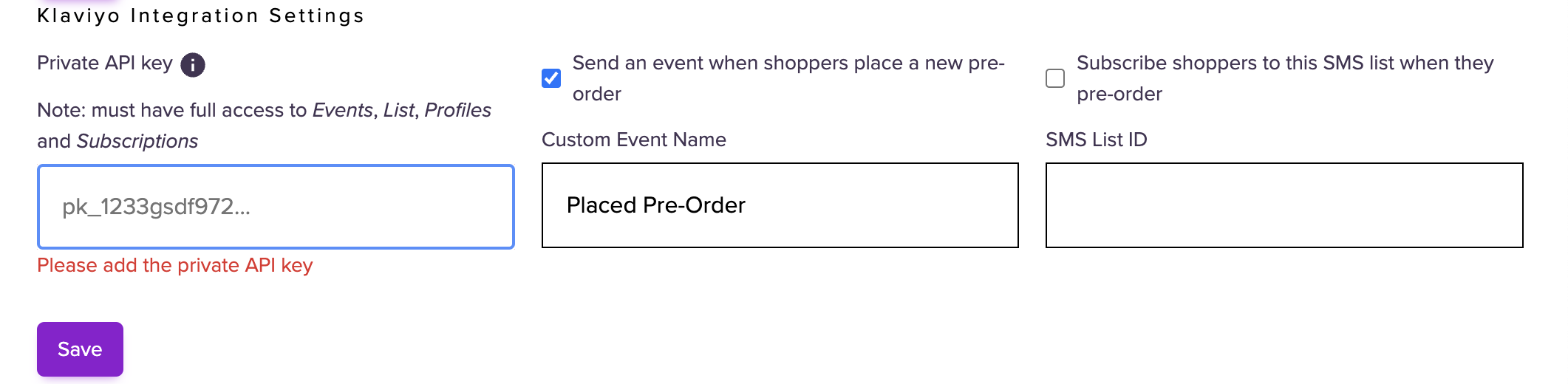
If you tick the box 'Send an event when shopper place a new pre-order', every time a shopper does a successful checkout involving a Waitlisted product we will send a Placed Pre-order event to your connected Klaviyo project. This will include some basic shopper data, the checkout amount, and which items were in the checkout so you can track that conversion in your Klaviyo dashboard alongside in-stock purchases.
If you tick the 'Subscribe shoppers to this SMS list when they pre-order', every time a shopper does a successful checkout involving a Waitlisted product we will subscribe that shopper to the indicated sms list.