
Preferred/Earliest Fulfilment DateUpdated 5 months ago
Our new feature allows customers greater control over their pre-orders.
By enabling this feature, customers can decide at checkout if they want to receive their pre-orders early if stock becomes available earlier than expected.
This is particularly useful for brands that are using our split payment feature. When you ship an item early, this results in the shopper being charged earlier than they were originally expecting; for some shoppers, that's not desirable, especially if it's a large purchase.
To enable this new feature:
- Go to the Settings tab on the left-hand dashboard.
- Click Operations, then toggle the Preferred fulfilment date button to enable this feature.

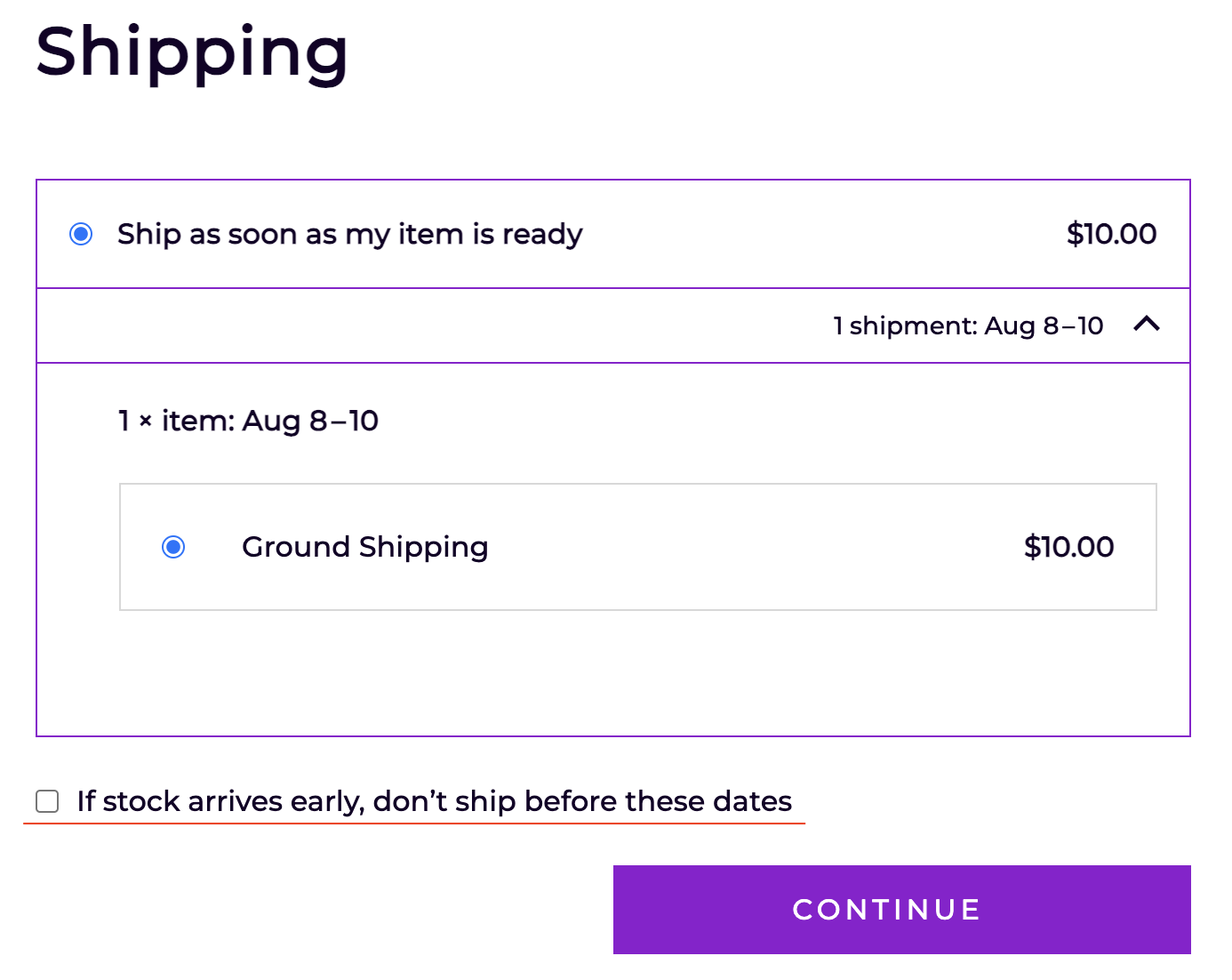
Once enabled, customers will now see the following check box at the checkout:
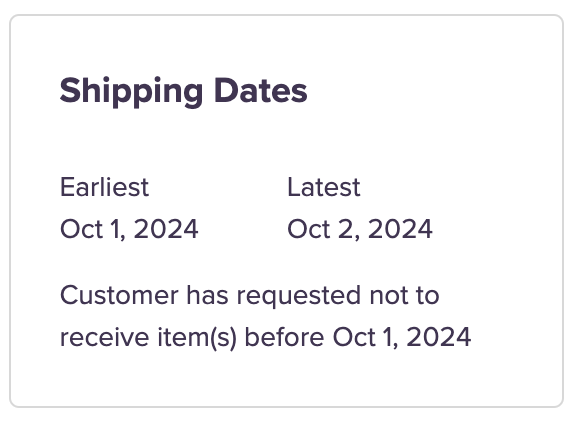
You will also see a note on the customer order showing that they do not wish to receive their order early.
How does this work if I'm using automated exports?
- Everything works as normal!
- If inventory appears early, we'll immediately export pre-orders for shoppers who haven't ticked the box in the checkout
- For shoppers who did check the box, we'll hold the pre-order back in our system, then export once the preferred date is reached
- The virtual location ensures you won't become oversold whilst we're holding the order back in our system!
How does this work if I'm exporting waitlists manually?
- Everything works as normal!
- If you export the waitlist early, we'll export pre-orders for shoppers who haven't ticked the box in the checkout
- For shoppers who did check the box, we'll hold the pre-order back in our system, then automatically export once the preferred date is reached
*Note:
- You can manually override this setting when exporting an order at either the waitlist or pre-order level.
- Manually overriding this will charge the customer early.
- You can still export these waitlists; customers who have not selected 'don't ship before these dates' will be charged, and their order will be shipped. Customers who have selected 'don't ship before these dates' will not see any change; the shopper portal will also still show the original shipping date.
- This will apply to all line items.