
What are user roles?Updated 5 months ago
User roles control what a user can see and do in Purple Dot.
There are four roles:
- Admin
- Customer Support
- Finance
- Viewer
Only Admins can assign roles, and you must always have at least one Admin.
Which role should I choose?
The best role for a user depends on what actions you will need them to take within the platform.
The table below outlines what each role can and cannot do or see.
Role | Can | Cannot |
Admin Best for users who will be managing Waitlists and require full system access |
|
|
| Customer Support Best for Support teams and users who need to resolve shopper issues, but won't manage Waitlists or settings |
|
|
| Finance Best for Finance and Accounting teams, or users who only need reporting visibility |
|
|
| Viewer Best for users who only need basic visibility and won't be taking any actions within the platform |
|
|
The role you assign a user will apply to all stores (e.g. they cannot be an Admin in one and a Viewer in another).
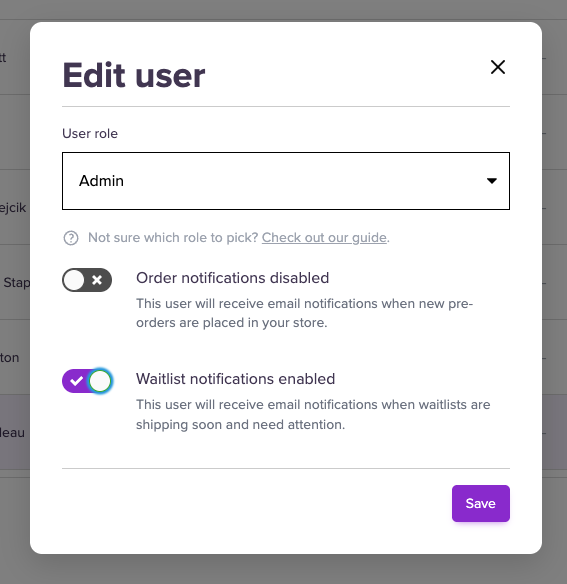
By default, Admin users will also be opted-in to receiving email notification about Waitlists. You can disable these - or enable for other users - by editing the user settings.
How do I update someone’s role?
Admins can update roles at any time in Settings >> Users
Changes apply immediately after the role has been updated.
If you are not an Admin and need a different role assigning to you, please contact one of the Admins within your team.